
Introduction
A video titled “Stop using Claude. Start using Codex?” went viral this week. Creator Riley Brown called Codex the most powerful single interface for AI agents available today. A few days before that, Greg Isenberg raised the same question to his audience of founders.
If you run a business and use AI tools to save time, you have probably seen this debate and wondered: which one should I actually use?
This guide cuts through the noise. No benchmark wars, no developer jargon. Just a clear breakdown of what each tool does, who it is built for, and which one fits your business better in 2026.
What Is OpenAI Codex? (Not the Old One)
Quick clarification: there was an older OpenAI model called Codex that powered GitHub Copilot back in 2021. That model was deprecated years ago. The Codex being talked about now is something different.
The new Codex is a cloud-based AI agent powered by GPT-5.5. It lives inside ChatGPT and works asynchronously. You give it a task, it spins up an isolated cloud environment, connects to your GitHub repository or apps, and gets to work while you focus on other things. When it is done, it surfaces the result.
OpenAI’s April 2026 update explicitly repositioned Codex for non-technical users. Managers, marketers, finance analysts, and operations leads can now drive it entirely through natural-language prompts. No coding required, no API setup.
The update also added:
- Over 90 plugins covering tools like Atlassian (JIRA), Microsoft Suite, GitLab, and more
- Computer use on Mac, where Codex can see your screen, click, and type with its own cursor
- Image generation so it can produce visuals inside the same workflow

Codex pricing (as of May 2026): Included in ChatGPT Plus at $20/month. ChatGPT Pro at $100/month gives you 5x higher Codex usage. The $200/month Pro tier gives you 20x usage. OpenAI also offers the underlying model via API, billed per token.
What Is Claude Code?
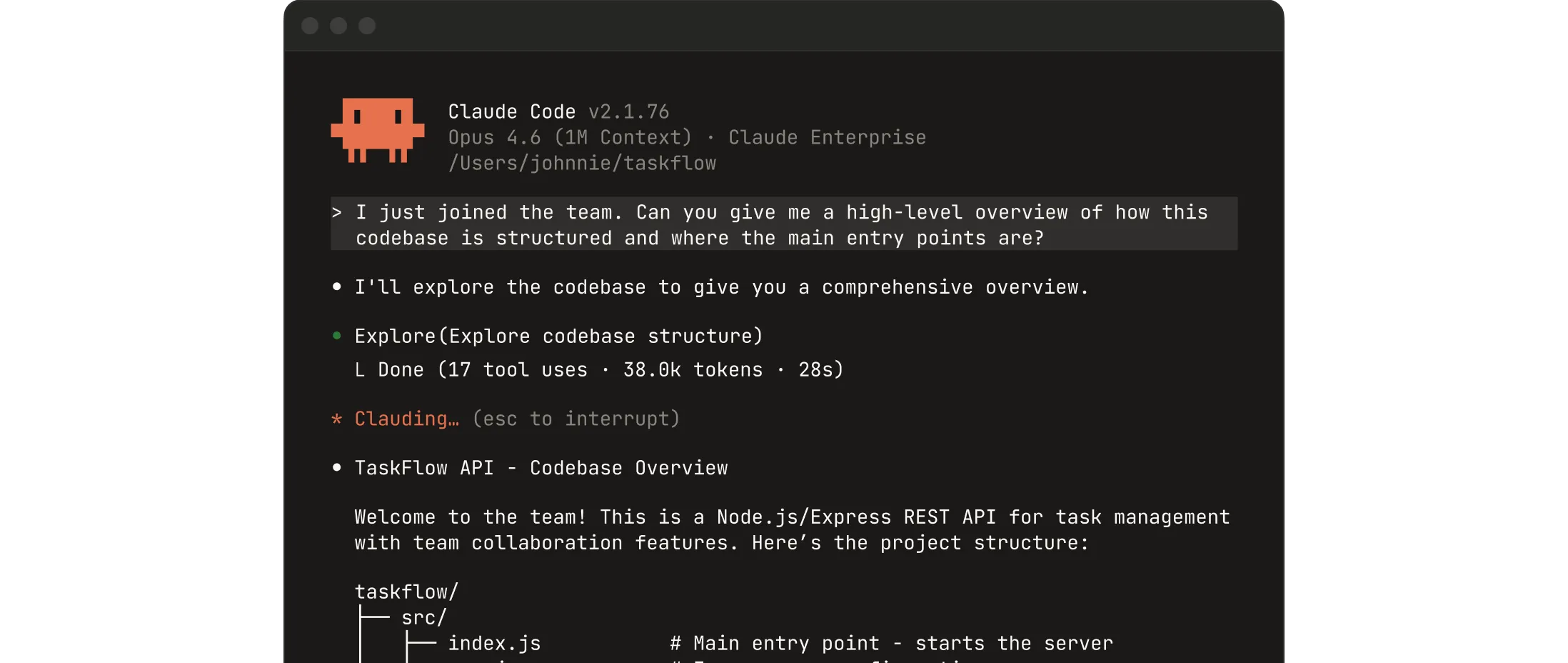
Claude Code is Anthropic’s AI coding agent. Unlike Codex, it runs locally on your machine from the terminal or inside VS Code. You give it a task, it reads your files directly, edits code, runs commands, browses the web, and can control your computer’s GUI.
The key difference is where it runs. Claude Code works inside your local environment. That means it can interact with software that does not have an API, including legacy systems, insurance portals, government forms, and anything else you can see on your screen.
Claude Code’s standout capability is computer use: it can control a browser, click buttons, fill in forms, and navigate interfaces just like a person would. Real business use cases include automating LinkedIn outreach, managing ad platforms, and interacting with internal tools that have no integration options.
On context window, Claude Code running on Opus 4.7 can handle up to 1 million tokens. That means it can read an entire codebase or a large set of documents in a single session.
Claude Code pricing (as of May 2026): Pro plan at $20/month covers most individual users with access to Sonnet 4.6 and Opus 4.7. Max 5x at $100/month is for heavier usage. Max 20x at $200/month is available for very high-volume work.
Head-to-Head: What Matters for Your Business
Ease of use
Codex wins here for non-technical founders. It lives inside ChatGPT, an interface most business owners already know. You type a request in plain English, and it handles the rest. No terminal, no local setup, no configuration.
Claude Code requires a terminal. If you have never used a command line, the setup has a learning curve.
Background and async tasks
Codex was built for this. You can assign multiple tasks to run in parallel, in the cloud, without keeping your computer on. While you are in a meeting, Codex can be drafting a report, updating a spreadsheet, and reviewing a document at the same time.
Claude Code runs on your machine, so it needs your computer to stay awake and connected. It does not natively run parallel tasks in the background the way Codex does.
GUI automation and computer control
Claude Code wins here. Its computer use capability lets it control any application on your screen, including tools that have no API or integration option. If you need to automate a workflow inside a legacy CRM, fill government forms, or manage a social platform directly, Claude Code is the more capable tool.
Codex added Mac computer use in April 2026, but independent comparisons note it is currently stronger in the code-and-terminal layer than in full GUI automation.
Context and memory
Claude Code handles up to 1 million tokens on Opus 4.7. Codex tops out at around 400,000 tokens. For business tasks involving long documents, large datasets, or complex multi-file projects, Claude Code can hold more context in a single session.
Integrations and plugins
Codex has over 90 plugins out of the box, including Microsoft Suite, Atlassian, and GitLab. If your business already runs on these tools, Codex slots in with minimal setup.
Claude Code integrates through MCP servers and has a growing connector ecosystem, but the out-of-the-box plugin library is smaller at this stage.
Which One Should You Choose?
Choose Codex if:
- You already pay for ChatGPT Plus or Pro
- You want to delegate async tasks and check results later
- Your team uses Microsoft Suite, JIRA, or GitHub and wants connected workflows
- You want a non-technical team to use AI agents without any terminal exposure
Choose Claude Code if:
- You need to automate tasks involving GUI-based tools or legacy software with no API
- You are working with large documents or complex files that require deep context
- You want tight local control over what the agent does and when
- You are comfortable with a terminal or willing to learn
The honest answer for most SMB owners: these tools are not mutually exclusive. Several high-output teams use Codex for parallel background delegation and Claude Code for focused, hands-on automation that requires screen control.
How AppCoders Can Help
Setting up either tool and connecting it to your business workflows takes time. AppCoders helps SMB founders configure Codex and Claude Code for their specific operations, from linking your apps to building the prompts that produce reliable results. If you want to skip the learning curve and start saving time this month, visit appcoders.ae/blog.
Conclusion
Codex and Claude Code are two very different tools solving overlapping but distinct problems. Codex is built for ease, async work, and plug-and-play integration with the tools your team already uses. Claude Code is built for deep local control, GUI automation, and long-context reasoning.
Neither wins outright. The right choice depends on how your business operates today.
If you want help figuring out which agent fits your workflows, book a free call with the AppCoders team.