
Most small business owners run their day across multiple software tools – a CRM, an inbox, a spreadsheet, a project board, and a chat app. The problem is these tools rarely share information with each other without someone manually moving it.
On August 6, 2026, OpenAI, Microsoft, Amazon, Cursor, and Vercel jointly launched Agent Plugins 1.0.0 – a universal open standard. Google announced the same day it was joining as a core maintainer. The standard lets AI agents connect to any external tool built to it without custom code. For SMB owners already using ChatGPT Work, this means your AI can reach into the software you use every day and take action directly.
This article explains what the Agent Plugins standard means in practice, which tools you can connect right now, and how to get started.
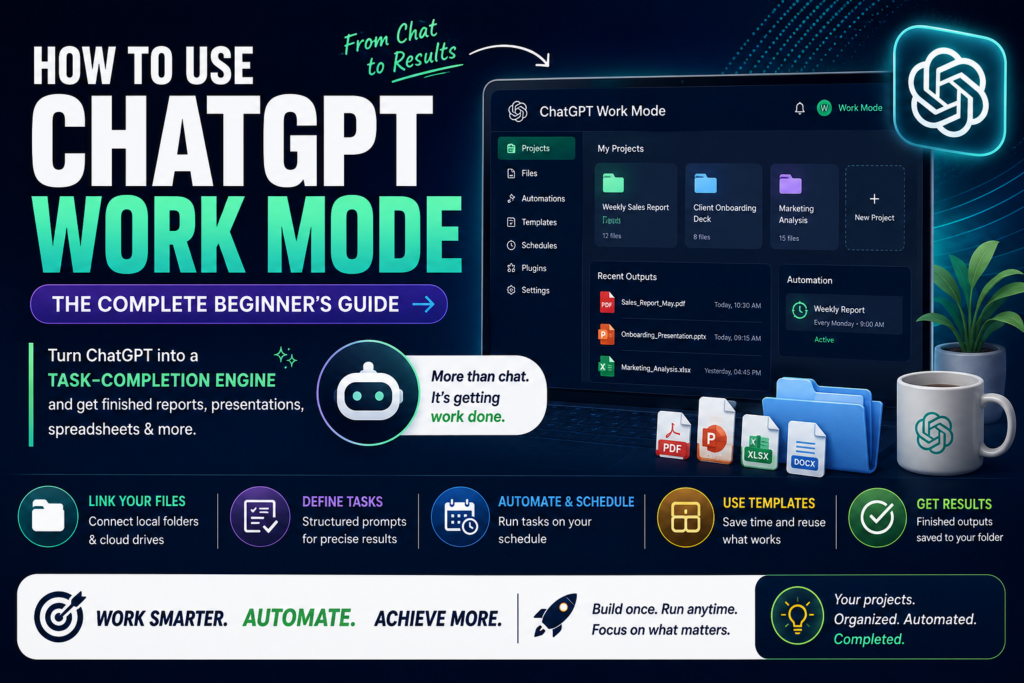
What the Agent Plugins Standard Actually Is
Before this standard, connecting ChatGPT to an external tool meant either paying a developer to build a custom integration or relying on a third-party automation platform like Zapier. Most SMB owners either skipped it entirely or spent hours getting it to work.
The Agent Plugins 1.0.0 standard creates a common format for tool connections. Developers build a plugin once using this format, and it works across any AI client that supports it – ChatGPT today, with broader compatibility expected as the standard is adopted. The practical outcome for you: a Plugin Directory inside ChatGPT Work where you can browse and enable connections to your existing tools in a few clicks, no developer required.
ChatGPT Work itself launched on July 9, 2026 alongside GPT-5.6. It is bundled into existing Plus, Pro, Business, and Enterprise plans at no extra cost. It runs tasks on a schedule, connects to your existing tools through the Plugin Directory, and stays with a multi-step project for hours to produce a finished deliverable: a report, a spreadsheet, a batch of emails.
Which Tools You Can Connect Right Now
As of August 2026, the ChatGPT Work Plugin Directory includes connections to:
- Gmail and Google Drive – ChatGPT can read threads, pull documents, draft replies, and flag what needs your attention without you copying anything across
- Slack – your agent can post updates, pull context from channels, and surface decisions from ongoing threads
- Salesforce – pull CRM records, log call notes, update deal stages without opening the CRM manually
- Shopify – check inventory, pull order status, draft customer response templates
- Dropbox – access stored documents as context for tasks
- QuickBooks – available since February 2026 through Intuit’s partnership with OpenAI, giving agents access to financial records for report drafting
The Plugin Directory also supports custom connections. Developer mode (available on Pro, Plus, Business, Enterprise, and Edu plans as of August 2026) lets you add any MCP server by URL, which means teams with internal tools can connect those too.
How to Connect a Tool: Gmail as an Example
Here is how to set up the Gmail connection in ChatGPT Work in about two minutes:
Step 1. Open ChatGPT and switch to Work mode using the mode selector at the top of the interface.
Step 2. Navigate to the Plugin Directory from the sidebar.
Step 3. Search for Gmail. Click Enable and complete the OAuth connection to your Google account. The process takes about two minutes and does not require any technical setup.
Step 4. Open a new task and describe what you need: “Read my last 20 unread emails, flag anything that needs a reply today, and draft responses for the top three.”
ChatGPT Work reads your actual inbox, not a generic example. It sees your specific threads, your contacts, your context – and it drafts replies based on what it finds.
You can also schedule this as a recurring task. The Scheduled Tasks feature lets you set a prompt to run hourly, daily, weekly, or on a custom recurrence rule. You can configure a morning briefing: read the inbox, surface urgent items, prepare draft replies – all before you open your laptop. Each run is logged in the Scheduled view, which works like an inbox flagging runs that need your attention.
What This Actually Replaces for SMB Owners
The most useful workflows once you have plugins connected:
Client communication. Connect Gmail and ask ChatGPT Work to triage your inbox daily: flag overdue proposal replies, draft follow-ups for anything pending more than 48 hours, and surface anything marked urgent. You check email once instead of continuously.
Sales pipeline updates. Connect Salesforce and ask your agent to update all deals that had a call this week – write the call summary, move the opportunity stage, log the next action. One task, not fifteen manual CRM entries.
Inventory and orders. For Shopify owners, connect ChatGPT Work to check stock levels and draft a purchase order for low-inventory products. The agent sees your actual data and produces a ready-to-send document.
Weekly reporting. Connect Google Drive and have the agent pull updates from project documents, then produce a summary you can share with a client or your team. No writing required.
These are tasks that previously required a VA, a custom automation setup, or consistent manual effort. Plugin connections make them accessible to any ChatGPT Work subscriber.
How AppCoders Can Help
Connecting plugins is usually the easy part. Getting them to work reliably – handling edge cases, writing prompts that produce consistent output, scheduling tasks so they fit your actual workflow – is where most founders run into friction. At AppCoders, we help SMB owners design AI workflows around ChatGPT Work and other tools so agents run consistently without supervision. Book a free call at https://appcoders.ae/contact.html#form to walk through your setup.
Start With One Tool This Week
ChatGPT Work is already included in your ChatGPT plan if you are on Plus, Pro, Business, or Enterprise. The Plugin Directory is live now.
Start with one connection. Gmail is the fastest to enable and usually delivers the clearest results. Run one task manually, check what comes back, then decide whether to schedule it as a daily recurring task.
The Agent Plugins 1.0.0 standard is designed to grow. Tools that are not in the directory today will be added as developers build to the standard. The founders who learn to use this now will have a head start on the ones who wait for it to feel obvious.
Pick one task you repeat every week. See if ChatGPT Work can do it instead.